文件与目录进阶:Path/Files、遍历过滤、属性与监控、零拷贝
大约 3 分钟
文件与目录进阶:Path/Files、遍历过滤、属性与监控、零拷贝
新手一屏速览
- 统一使用 Path 与 Files;路径拼接用
resolve;删除/移动选择具备原子性的方法 - 遍历优先 Files.walk;按需配合 glob/regex 过滤;懒流注意关闭
- 大文件复制用 FileChannel.transferTo/From,减少用户态/内核态切换
1. Path 与 Files 常用操作
Path p = Path.of("/data/logs/app.log");
Files.exists(p); Files.size(p);
Files.createDirectories(p.getParent());- 路径拼接用
resolve;相对路径需要结合工作目录确认
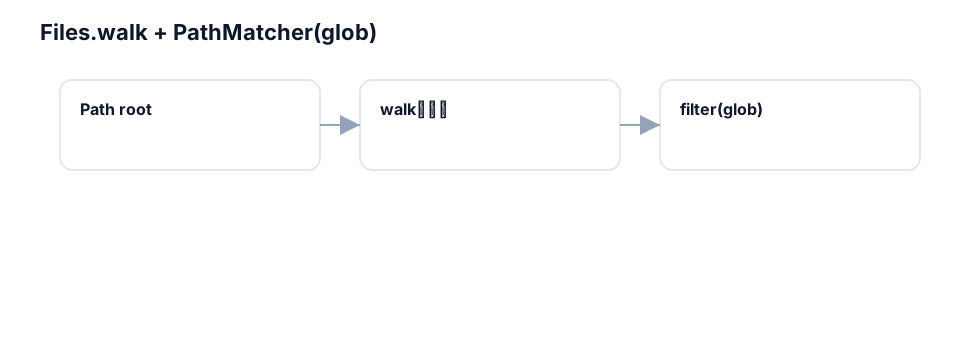
2. 遍历与过滤(glob/regex)
try (Stream<Path> s = Files.walk(Path.of("/data"))) {
  s.filter(Files::isRegularFile)
   .filter(p -> p.getFileName().toString().endsWith(".log"))
   .forEach(System.out::println);
}- 使用 glob:
FileSystems.getDefault().getPathMatcher("glob:**/*.log")
3. 文件属性与权限
BasicFileAttributes attr = Files.readAttributes(p, BasicFileAttributes.class);
Set<PosixFilePermission> perms = PosixFilePermissions.fromString("rw-r-----");
Files.setPosixFilePermissions(p, perms);- 跨平台差异注意;Windows 不支持 POSIX 权限
4. 目录监听(WatchService)
WatchService ws = FileSystems.getDefault().newWatchService();
Path dir = Path.of("/data");
dir.register(ws, StandardWatchEventKinds.ENTRY_CREATE, StandardWatchEventKinds.ENTRY_MODIFY);- 监听有丢失/合并风险;关键场景要做二次校验
5. 零拷贝复制与对比
最近建一些几十个工作内推群,各大城市都有,群里目前已经收集了很多内推岗位,大厂、中厂、小厂、外包都有。 欢迎HR、开发、测试、运维和产品加入。

扫描下方微信,备注:网站+所在城市,即可拉你进工作内推群。

try (FileChannel in = FileChannel.open(src); FileChannel out = FileChannel.open(dst, StandardOpenOption.WRITE, StandardOpenOption.CREATE)) {
  long pos = 0, size = in.size();
  while (pos < size) pos += in.transferTo(pos, size - pos, out);
}- 相比缓冲读写,transferTo/From 可减少上下文切换与拷贝次数
6. 临时文件与安全删除
Files.createTempFile/createTempDirectory管理临时资源;使用 try-with-resources + deleteOnExit- 重要数据删除采用覆盖写/安全策略并配合审计;注意平台回收策略
7. 工程清单与反模式
- 清单:统一 Path/Files;walk 注意 try-with-resources;权限跨平台测试;大文件复制首选 transferTo
- 反模式:字符串拼路径;忘记关闭流;在监听上做强因果假设;异常处理与回退缺失
8. 练习
- 基于 Files.walk + glob 实现按后缀与大小阈值过滤并统计汇总
- 以 transferTo 为基线,对比缓冲复制在不同文件大小下的吞吐
示例代码(可直接复制运行)
示例一:walk + glob 过滤统计
import java.nio.file.*;
import java.nio.file.attribute.BasicFileAttributes;
import java.util.stream.*;

public class WalkAndFilter {
  public static void main(String[] args) throws Exception {
    Path root = Path.of(".");
    PathMatcher matcher = FileSystems.getDefault().getPathMatcher("glob:**/*.java");
    long total = 0L;
    try (Stream<Path> s = Files.walk(root)) {
      total = s.filter(Files::isRegularFile)
               .filter(matcher::matches)
               .mapToLong(p -> {
                 try { return Files.size(p); } catch (Exception e) { return 0L; }
               }).sum();
    }
    System.out.println("Total bytes: " + total);
  }
}
示例二:transferTo 零拷贝复制
import java.nio.file.*;
import java.nio.channels.FileChannel;
import java.nio.file.StandardOpenOption;

public class ZeroCopy {
  public static void main(String[] args) throws Exception {
    Path src = Path.of("input.bin");
    Path dst = Path.of("output.bin");
    try (FileChannel in = FileChannel.open(src, StandardOpenOption.READ);
         FileChannel out = FileChannel.open(dst, StandardOpenOption.CREATE, StandardOpenOption.WRITE, StandardOpenOption.TRUNCATE_EXISTING)) {
      long pos = 0, size = in.size();
      while (pos < size) pos += in.transferTo(pos, size - pos, out);
    }
  }
}
示例三:WatchService 目录监听
import java.nio.file.*;
import static java.nio.file.StandardWatchEventKinds.*;

public class DirWatch {
  public static void main(String[] args) throws Exception {
    WatchService ws = FileSystems.getDefault().newWatchService();
    Path dir = Path.of(".");
    dir.register(ws, ENTRY_CREATE, ENTRY_MODIFY, ENTRY_DELETE);
    for (int i=0;i<5;i++) { // 演示消费 5 个事件
      WatchKey key = ws.take();
      for (WatchEvent<?> ev : key.pollEvents()) {
        System.out.println(ev.kind() + " -> " + ev.context());
      }
      boolean valid = key.reset();
      if (!valid) break;
    }
    ws.close();
  }
}
示例四:POSIX 权限设置(在支持平台上)
import java.nio.file.*;
import java.nio.file.attribute.PosixFilePermission;
import java.nio.file.attribute.PosixFilePermissions;
import java.util.Set;

public class PosixPerms {
  public static void main(String[] args) throws Exception {
    Path p = Path.of("demo.txt");
    Files.writeString(p, "demo");
    Set<PosixFilePermission> perms = PosixFilePermissions.fromString("rw-r-----");
    try {
      Files.setPosixFilePermissions(p, perms);
      System.out.println("perms set");
    } catch (UnsupportedOperationException e) {
      System.out.println("POSIX not supported on this platform");
    }
  }
}